
Remove system apps (bloatware) in Android is not a difficult thing. By removing unimportantapplications installed on the Android system we are, of course, will increase the capacity ofthe internal memory.
To delete an application in the system or internal memory. You must first root your Android. Ifnot, you can read one of the root of the following article:
Easy Ways Without Root All Android type PC with Framaroot
How to Root Android with Towelroot All Types
How Easy Root All Android type with KingoApp
How to Delete Many Simultaneously System Application in Android
Download System App Remover application and install as usual in Android.
Open the application verify root access has been granted.
To begin deleting system apps, click the menu and select Systems Apps.
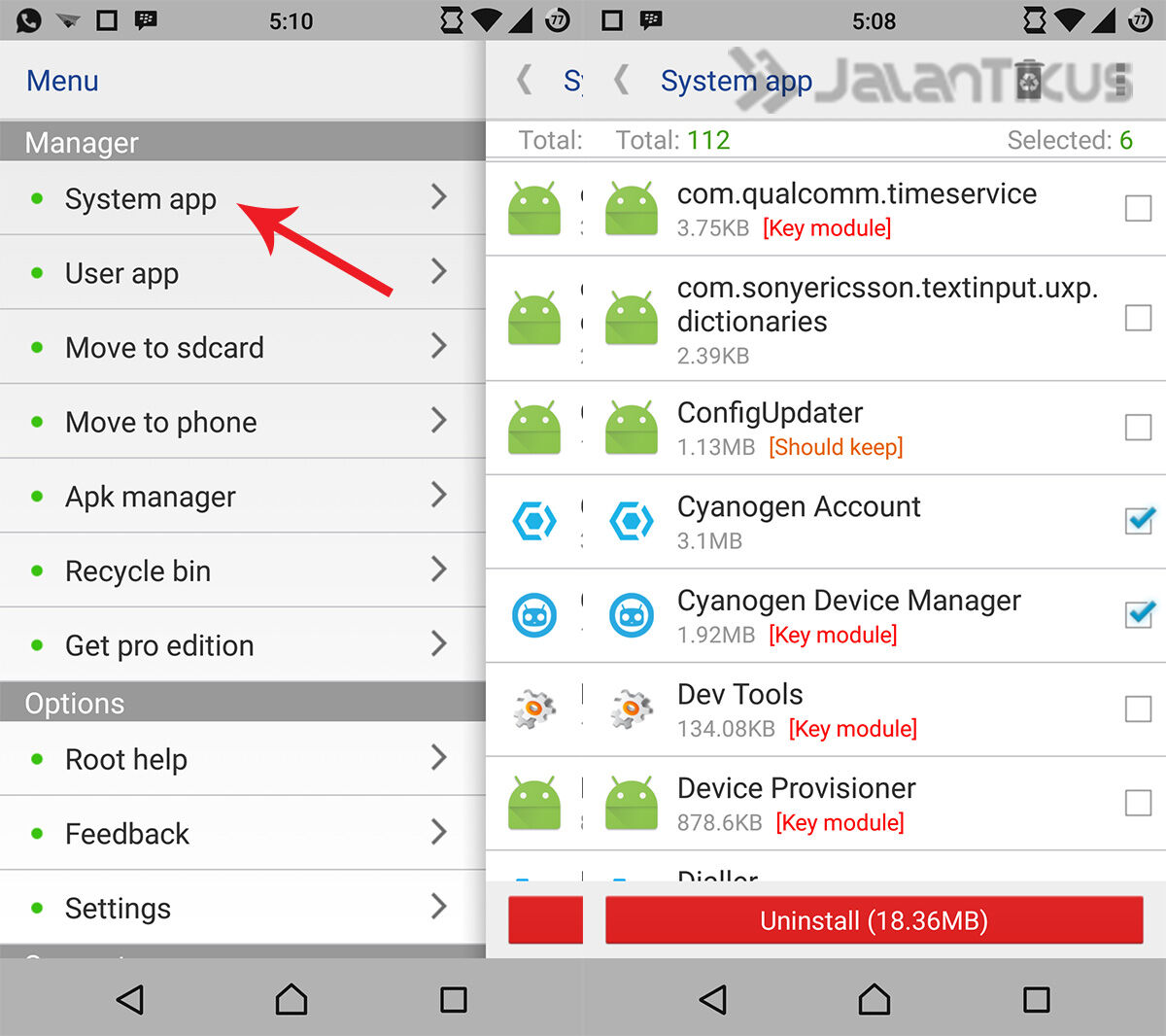
Select the entire application system that you want to delete. If you have click Uninstall.
Wait a minute until all the process is completed.

Tidak ada komentar:
Posting Komentar